
Curiosity compiled · v0.0.1
Your audiobooks.
Your shelf.
Zero cloud nonsense.
Point StoryTeller at a folder of audiobooks and it builds you a Plex-style shelf. It falls asleep so you don't have to, keeps everyone's place, and judges your taste — quietly.
Free while it's in beta — there will be a price later, and an affordable one · the download asks for an email and a password, the browser player asks for nothing · macOS & Linux when we get around to it. Phones are "coming soon," allegedly.

- 4
- platforms, one shelf
- 0
- clouds to sync with
- ∞
- books your folder holds
- 7
- hours you'll miss nightly
What it actually does
A listener that respects your folder and your bedtime
- 01
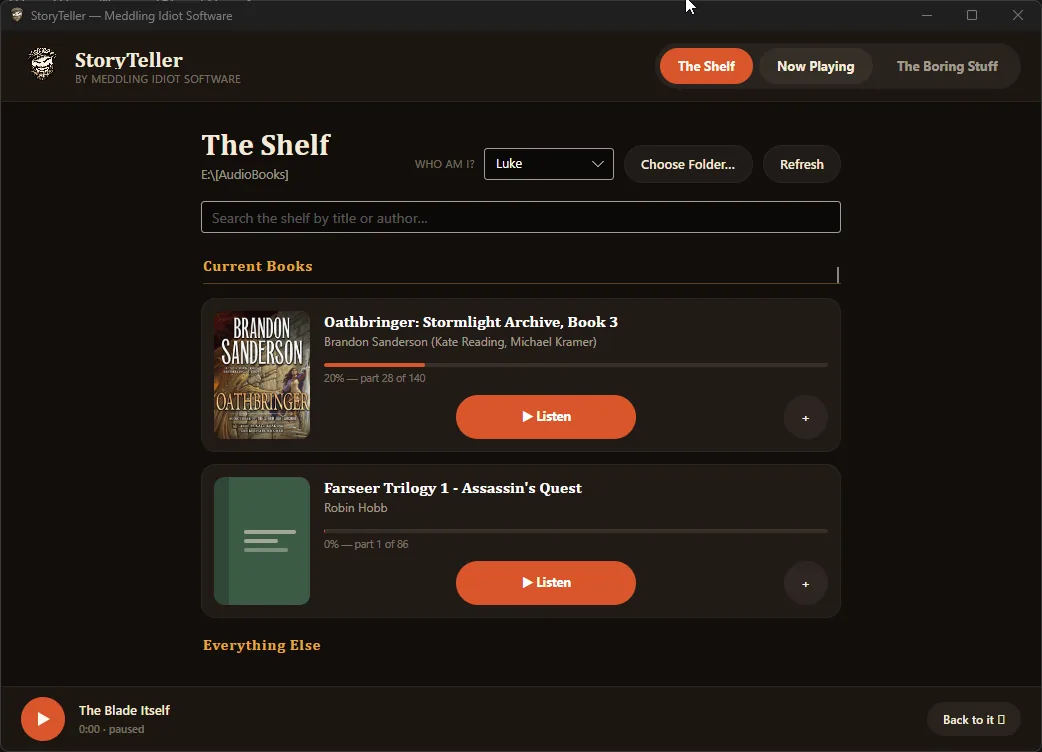
Plex-style library
Point it at a shared folder. Leaf folders become books; parts are natural-sorted; covers, authors and durations come from your tags. The shelf renders instantly from cache.
- 02
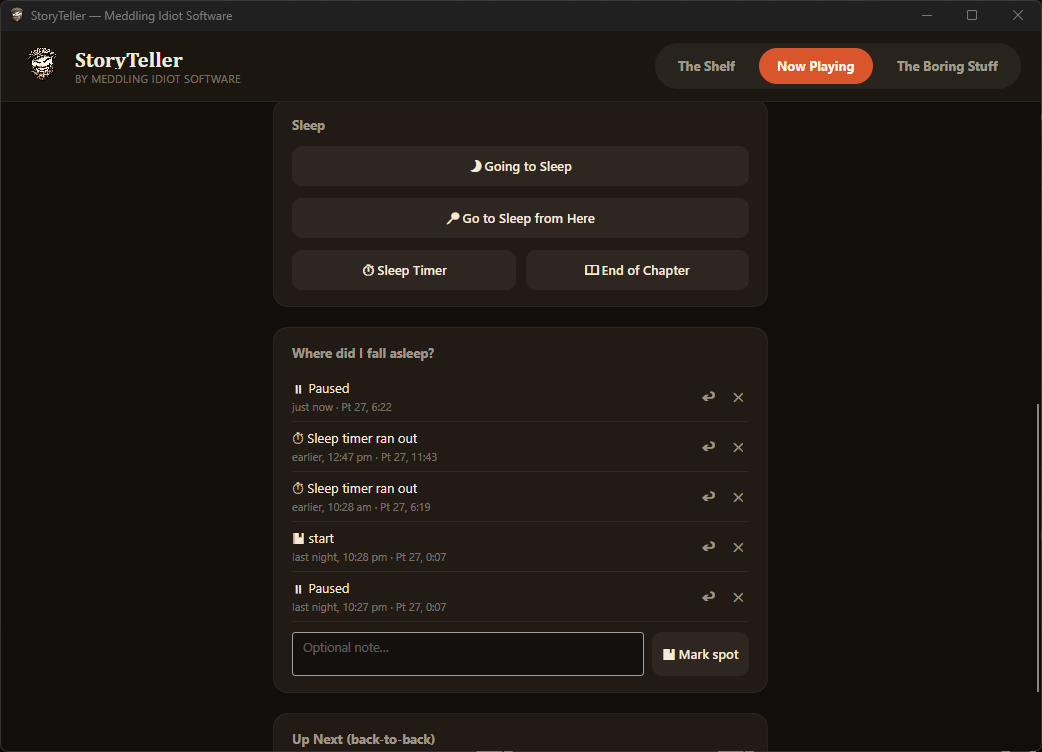
Going-to-sleep mode
Each night it starts a little deeper into the book than the last, stair-stepping through the plot while you're half-conscious — then plays on and rolls into the next queued book.
- 03
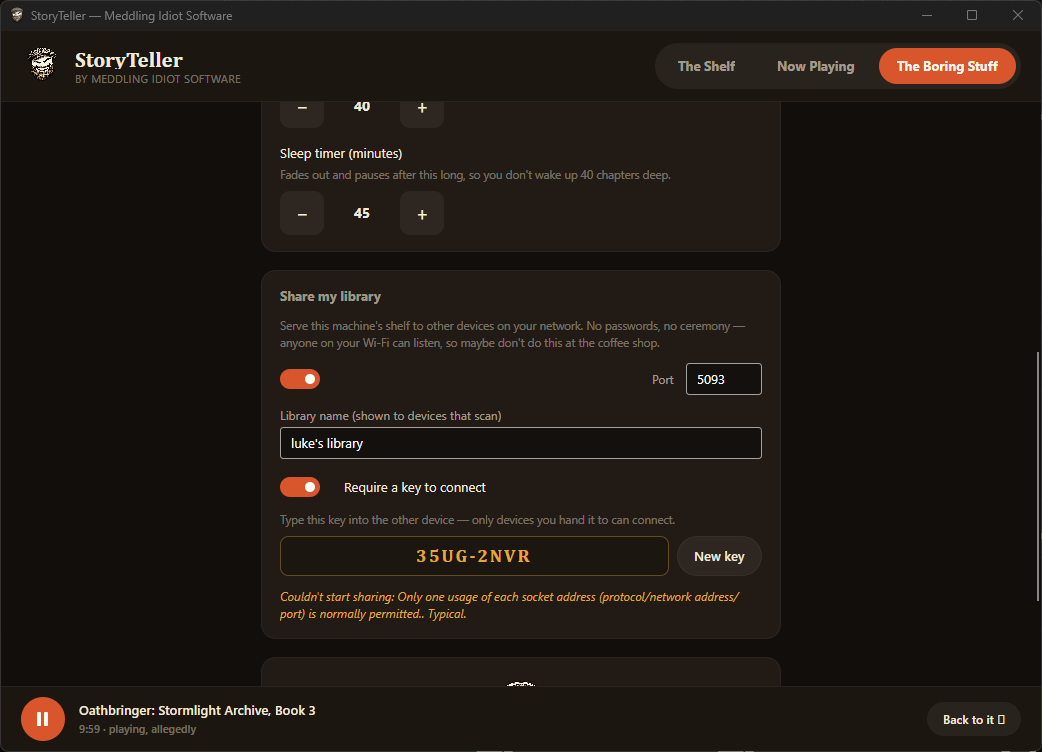
Share across the house
Host your library on the LAN. Other devices auto-find it with Scan. No auth by design — it's your network, not ours.
- 04
Sleep timer, with a fade
Pause after N minutes with a gentle 30-second volume fade, so you're not jolted awake by silence. Lights out in 04:59. No refunds.
- 05
Everyone keeps their spot
Tag yourself by name and every listener gets their own bookmark in every book — so when the tablet changes hands, nobody loses their place.
- 06
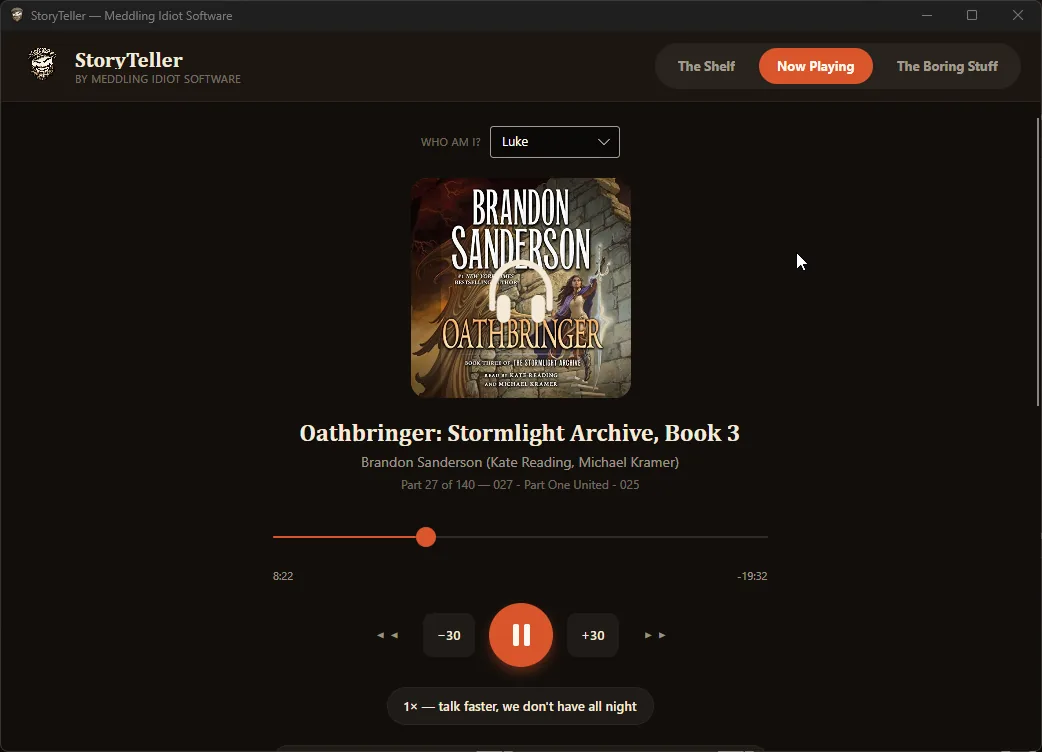
The usual controls, done right
±30s, prev/next part, seek, speed cycling, auto-advance across a book's parts, and a queue that plays books back-to-back.
A look inside
Warm, dark, and out of your way
Getting started
Three steps. Then stop touching it.
- 1
Grab the app
Register, then download for Windows — or skip both and open the browser player. No installer wizard trying to change your homepage.
- 2
Point at your folder
Pick the folder your audiobooks live in. It rummages through like it's Christmas morning and builds the shelf.
- 3
Press play, doze off
Flip on Going-to-sleep mode and let the narrator carry on without you, as usual. It'll keep your place.
Get it
Download, or don't install anything
Free while it's in beta. Version 0.0.1. Bring your own audiobooks.
The installer wants a free account — an email, a password, one confirmation click — so we know who is running this and can warn you if a release goes bad. We never share your data with anyone. The browser player needs none of that.
Windows
Desktop · .exe · free account
Browser player
No install, no account · runs in your browser
iOS
App Store · in the works
Android
APK & Play · in the works
Windows will object first
The installer isn't code-signed, so Defender SmartScreen will stop it and say it “isn't commonly downloaded”. That is a popularity finding, not a malware one — reputation is earned by download count and by a certificate priced for companies with a finance department. Hence Publisher: Unknown, which is accurate and still stings.
In the browser's downloads list, open the ··· menu on the file and choose Keep. When the blue “Windows protected your PC” panel appears on first run, click More info, then Run anyway.
If your work laptop has had those options taken away by IT, don't fight it — use the browser player instead. It installs nothing, needs no account, and plays the same books.
Questions you'll pretend you didn't have
FAQ
Where do the audiobooks come from?
Your own folder. StoryTeller doesn't sell, stream, or host anything — you bring the files, it builds the shelf. Organise them Genre/Author/Series/Book if you like; leaf folders become books and loose files become single-file books.
Do I need an account or a subscription?
A free account to download the installer — email, password, one confirmation click — and nothing after that. The app itself has no login, talks to no cloud, and never phones home; your shelf and your bookmarks stay on your machine. It is free while it is in beta; there will be a price eventually, and it will be an affordable one. We never share your data with anyone. If you'd rather not register at all, the browser player is right there and asks for nothing.
What is Going-to-sleep mode?
A bedtime mode that starts each night a set number of minutes further into the book than the night before, stair-stepping through it, then keeps playing into the night and rolls into your queue. Wake up and re-trigger it and it replays tonight's starting point.
Can several people share one library?
Yes — the desktop app can host your library on the LAN, and other devices auto-find it with Scan. Tag yourself by name and everyone keeps their own bookmark in every book. No auth, by design; it's your trusted network.
Which platforms can I run it on?
Windows desktop today, plus a browser player that needs no install. macOS and Linux desktop builds and the iOS/Android apps are on the way.
How much does it cost?
Nothing, while it is in beta. It will not stay that way — at some point this gets a price, and it will be an affordable one, because it is an audiobook player and not a mortgage. For now it is version 0.0.1 and free, so if it breaks that is roughly the price you paid — but do tell us.